





How to generate the QR code/link for annual meeting/conference/banquet reservation and registration through Seatgo?
How can you collect information and intentions from participants in advance for events such as meetings, banquets, and annual gatherings? You can generate a QR code/link for such a reservation and registration mini-program through Quzuowei (Seatgo). Users only need to scan the mini-program code via WeChat or click the link, and you can collect information from participants and export the data in tabular form for viewing and use.
### I. Register an account and log in to the tool's operating console
- Simply enter the tool's backend, register an account, and log in to the operating console.
- Select the "Reservation and Registration" function and create an event.
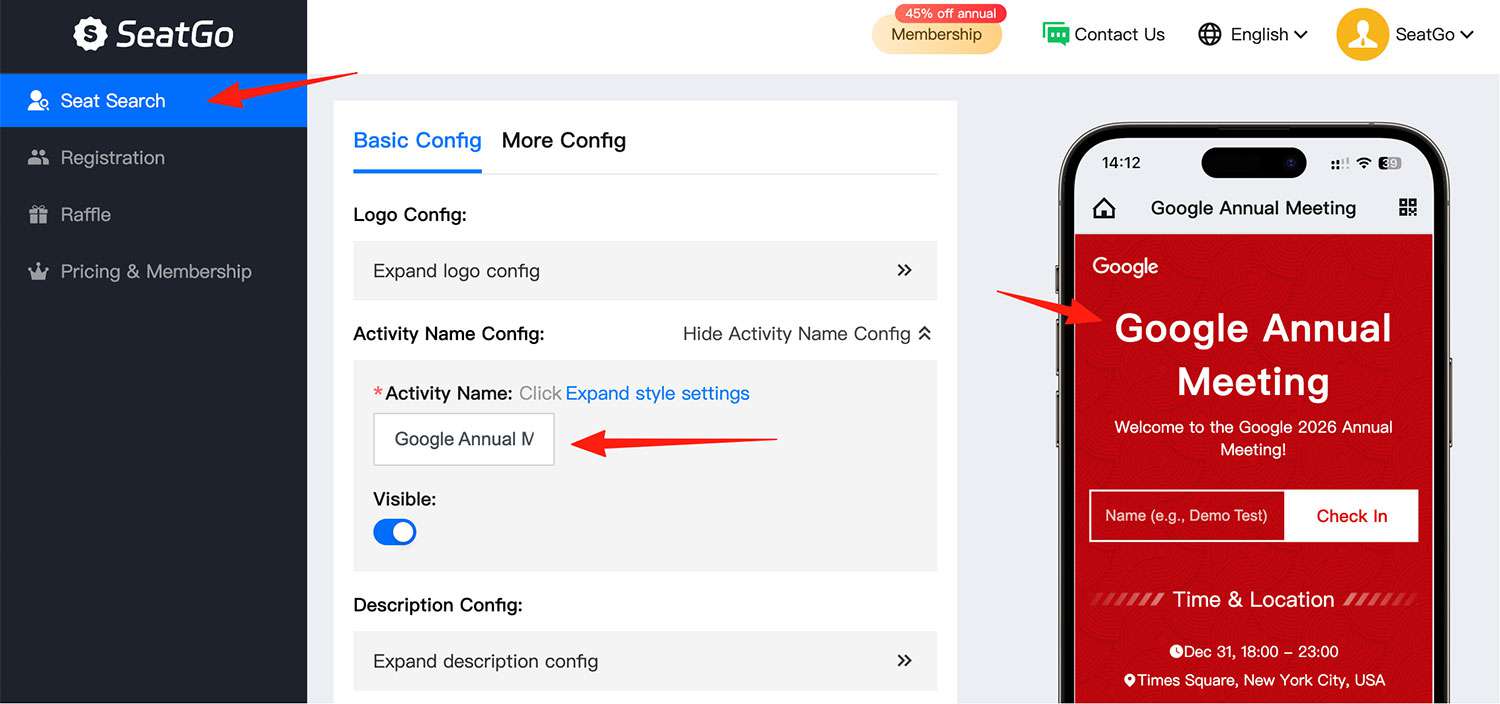
Here, you can choose between text-based and poster-based styles:
- As shown in Style 2, it is text-based, supporting custom input of text for the top content and custom background images.
- As shown in Styles 1 and 3, they are poster-based, supporting custom background images and top cover images. Apart from the different definable styles, other functions are the same.
### II. Create a registration event - that is, configure the page style and content
- Taking the poster-based style as an example, you can upload the top cover image and background image by yourself, or select an existing template to configure the page style.
- Then add form content, such as custom form items like name and phone number, and add event time and location.
- You can choose to change the overall page theme color and the color and style of the form buttons (such as square, rounded, or fixed at the bottom).
- After completing the above steps, you can save the mini-program code or link for use. After creation, it will automatically jump to this page, or you can click on the event details to enter.
- The QR code remains fixed. You can update the event page information and content at any time without changing the code.
- The collected user registration information can be exported in tabular form with one click for viewing, or exported in the seat-checking table mode for use in the sign-in and seat-checking function.
Latest News
Notice
-
 How to use QR codes to create an event seating chart? 2026-04-15
 -
 Wedding Digital Seating Chart,How to Plan Who Should Sit Where 2026-04-15
 -
 How to generate QR codes/links for meeting sign-in/seat query through SeatGo? 2026-04-14
 -
How can a meeting use SeatGo to implement QR code check-in and seat query? 2026-04-14
-
 How to upload seat information of attendees in batches when using SeatGo? 2026-04-13

Related News